
Pay as you go · 3 free credits to start
YouTube, unlocked.
There's a library's worth of knowledge locked inside YouTube.
KnowStash turns the videos you care about into clean, searchable notes, written by AI while you get on with your day. Capture on YouTube, keep it at knowstash.ai, and let monitors watch the channels you can't.
3 free credits · No card · No subscription · Works in any browser, phone included, with a YouTube companion for Chrome, Brave, Edge & Arc
How it works
From video to note in three moves.
Capture it
Paste a link at knowstash.ai, or send it from the companion panel beside any YouTube video. KnowStash fetches and indexes the video once, and keeps it. Stash once; using it never costs again.
Ask for the note you want
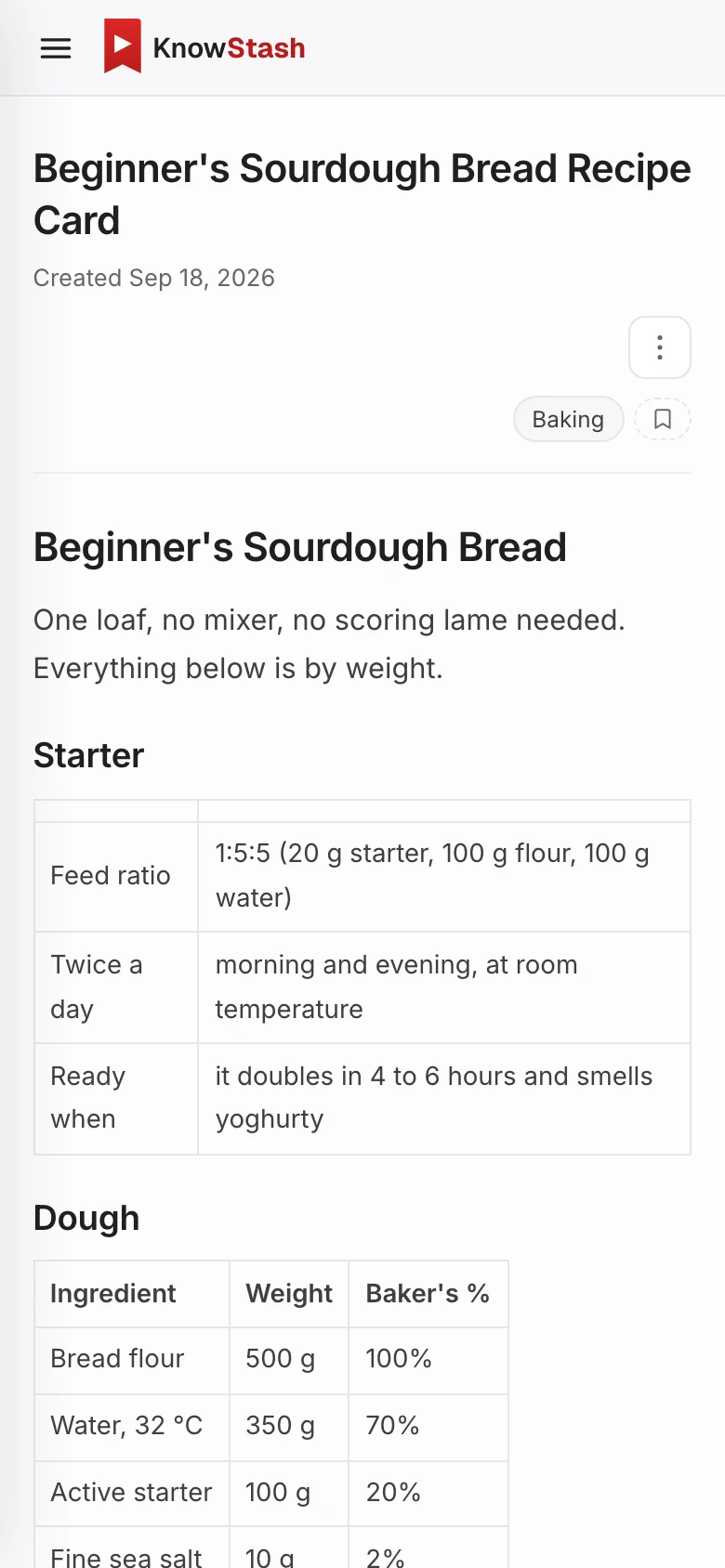
In your own words, or with a saved prompt. A recipe card, a study guide, a wiki of your favourite artist. Estimates can show the price and roughly how long it will take before you press send, and then the note streams out.
Keep it, and build on it
Notes land in your library at knowstash.ai, where you can search them, sort them into collections, share them with a link, and add to them as new videos come in.
What you get
Everything between watching and knowing.
A library that grows
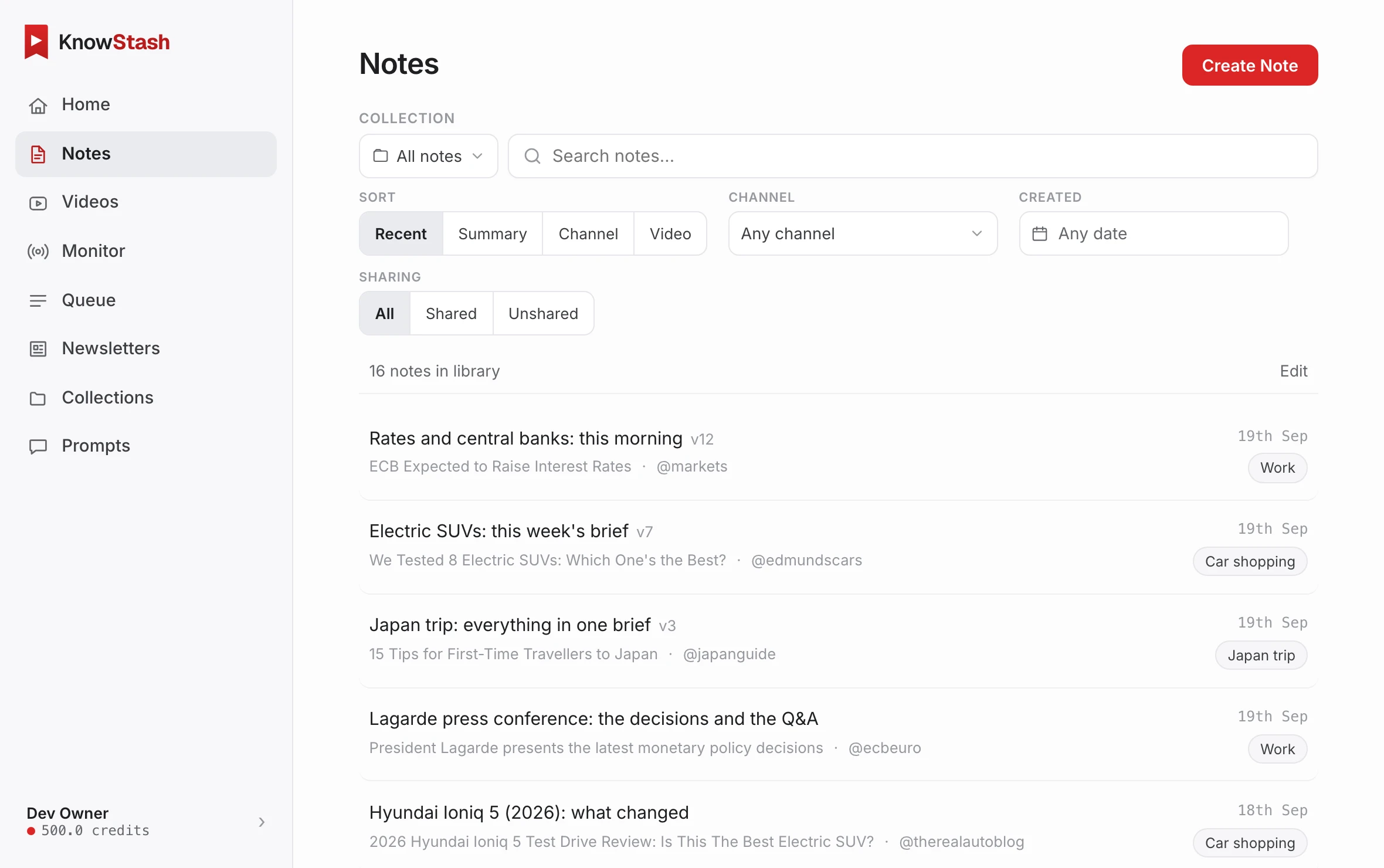
Every video you've stashed and every note you've written, in one searchable place at knowstash.ai. Collections keep topics tidy. Sharing a note is one link, and it always shows the latest version.
- Search across all your notes and videos
- Collections, channels, and date filters
- Every note keeps its sources and its versions
- Public share links, revocable anytime
- One account, one library, one balance
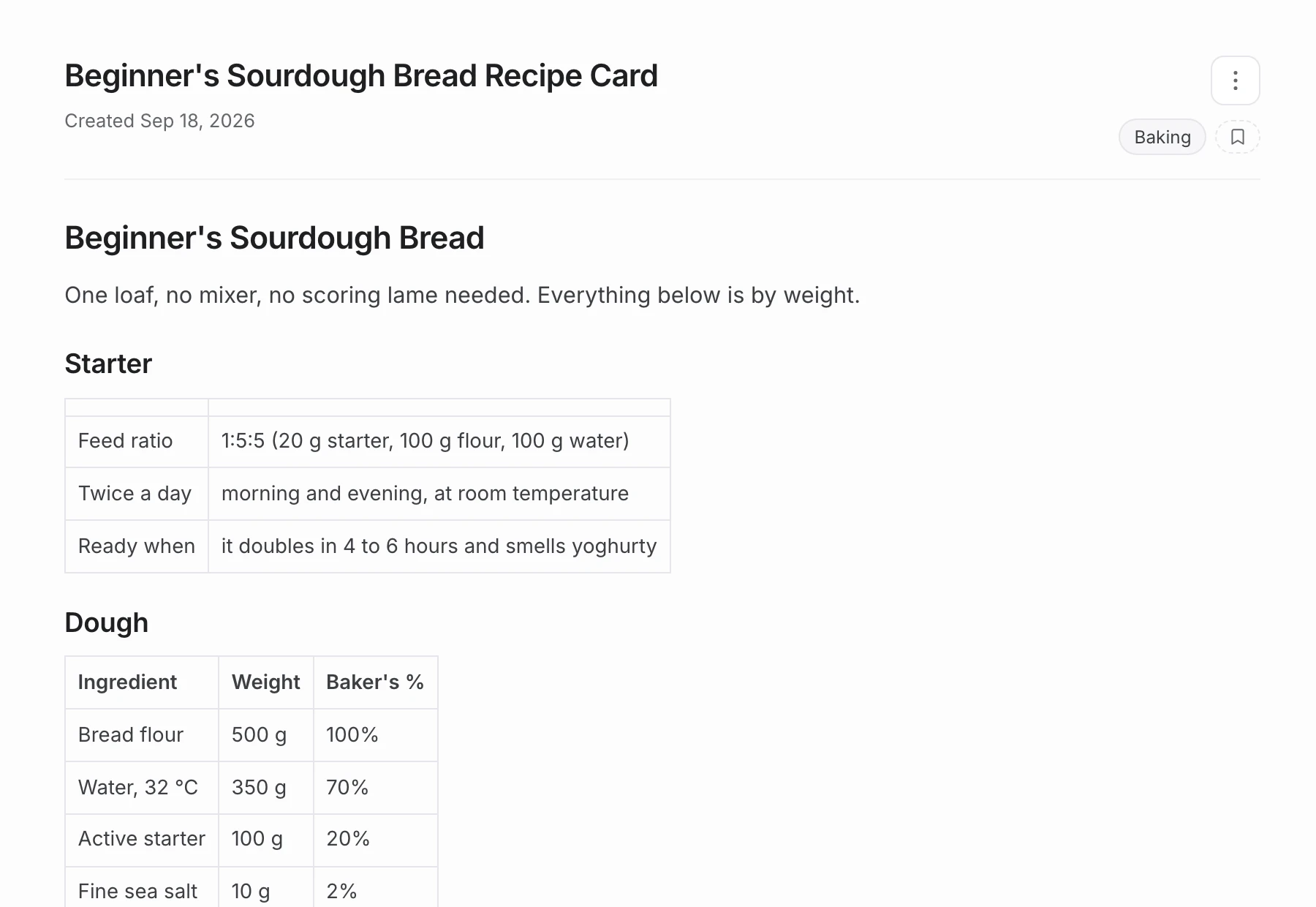
Notes in your words, not a generic summary
Ask for exactly the note you want: the recipe without the life story, a wiki of your favourite band, the week's market calls, what the Q&A actually answered. You pick the model for each note, and estimates put the price and the likely wait beside the send button, before anything runs.
- Streams live, in clean formatted markdown
- Standard or premium presets per note
- Reads the spoken words, or the video frames too: slides, charts, demos
- Scope it to a chapter, or span several videos
- Estimates: the cost and the time, before you press send
- Saved prompts for the asks you repeat
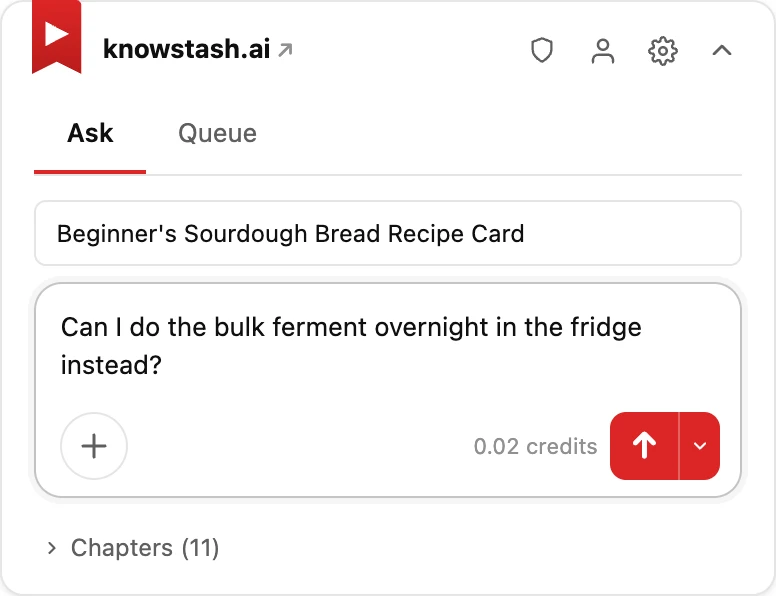
It starts right on YouTube
The Chrome companion does only the things that need the video in front of you. Ask about the one you're watching and read its notes beside the player, with timestamps that jump to the right moment, and narrow a question to the chapters you actually care about. Line up a queue as you browse, with one click on any thumbnail, then send the whole queue off without leaving the page. Small badges show what's already yours, and everything else is a link away at knowstash.ai.
- Ask about the video you're watching
- Its notes beside the player; timestamps seek
- Chapters, so a question covers only the part you mean
- One-click add-to-queue on any thumbnail
- Run a whole queue from the panel, three ways
- stash / notes badges across YouTube
Queue now, note later
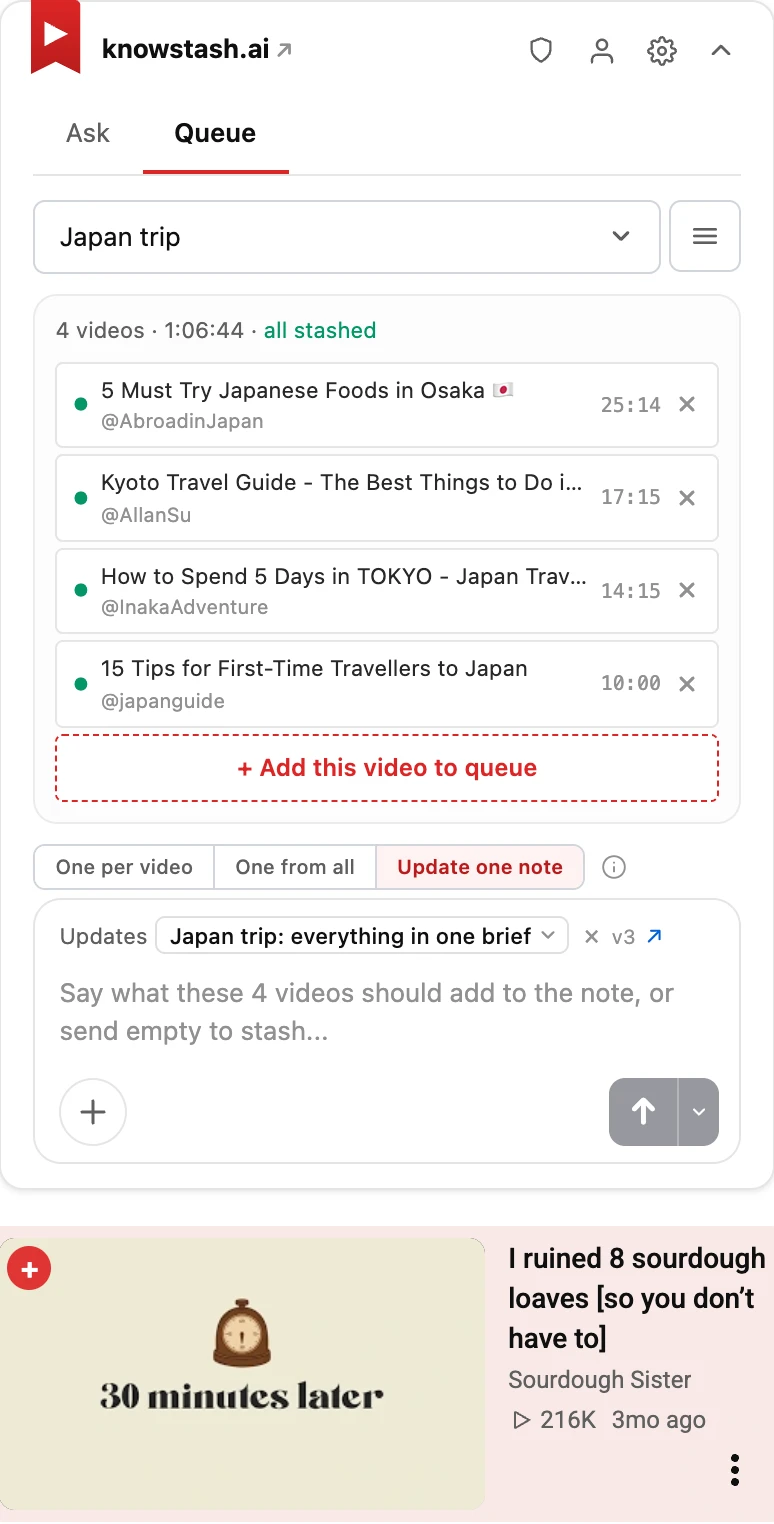
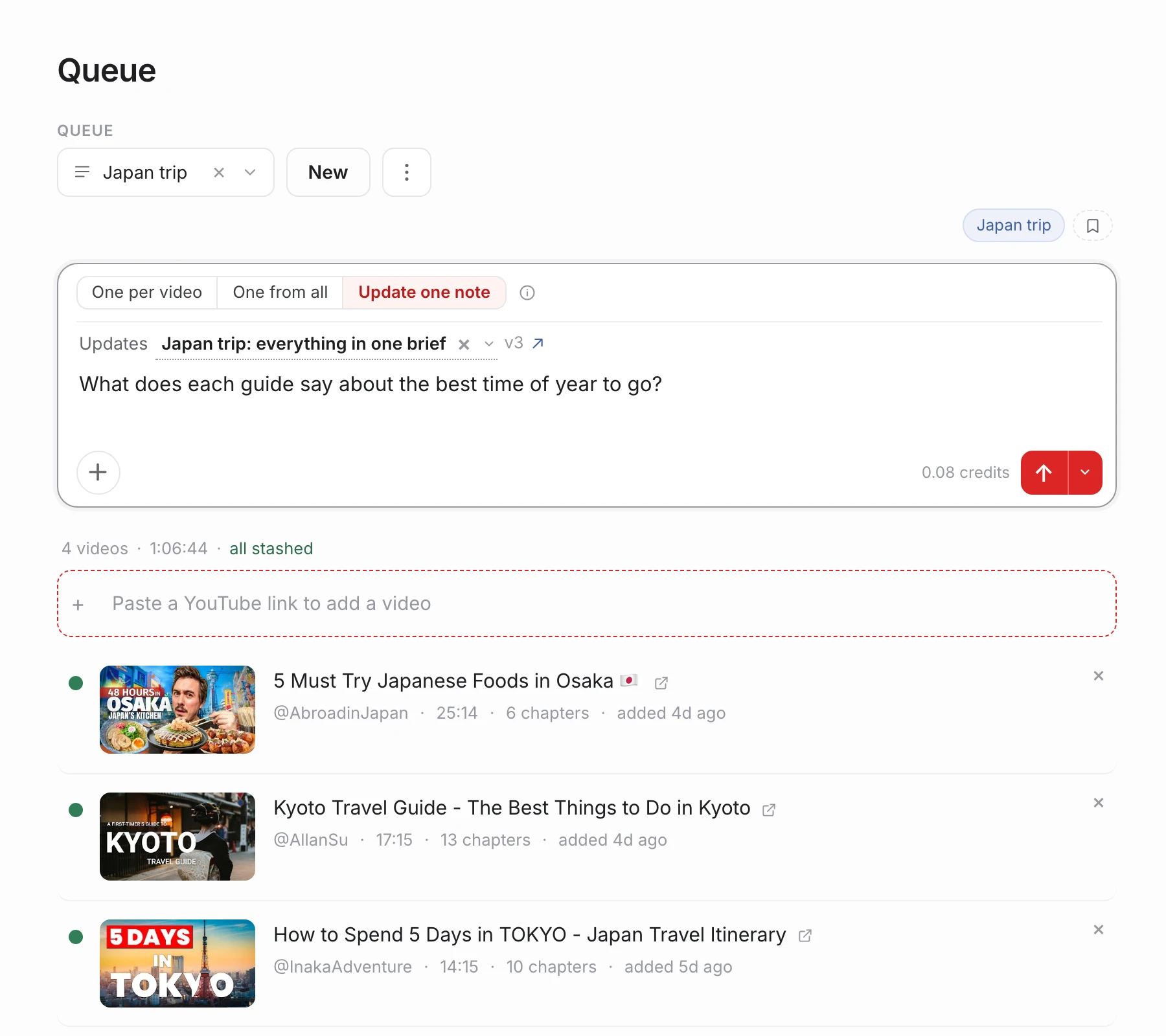
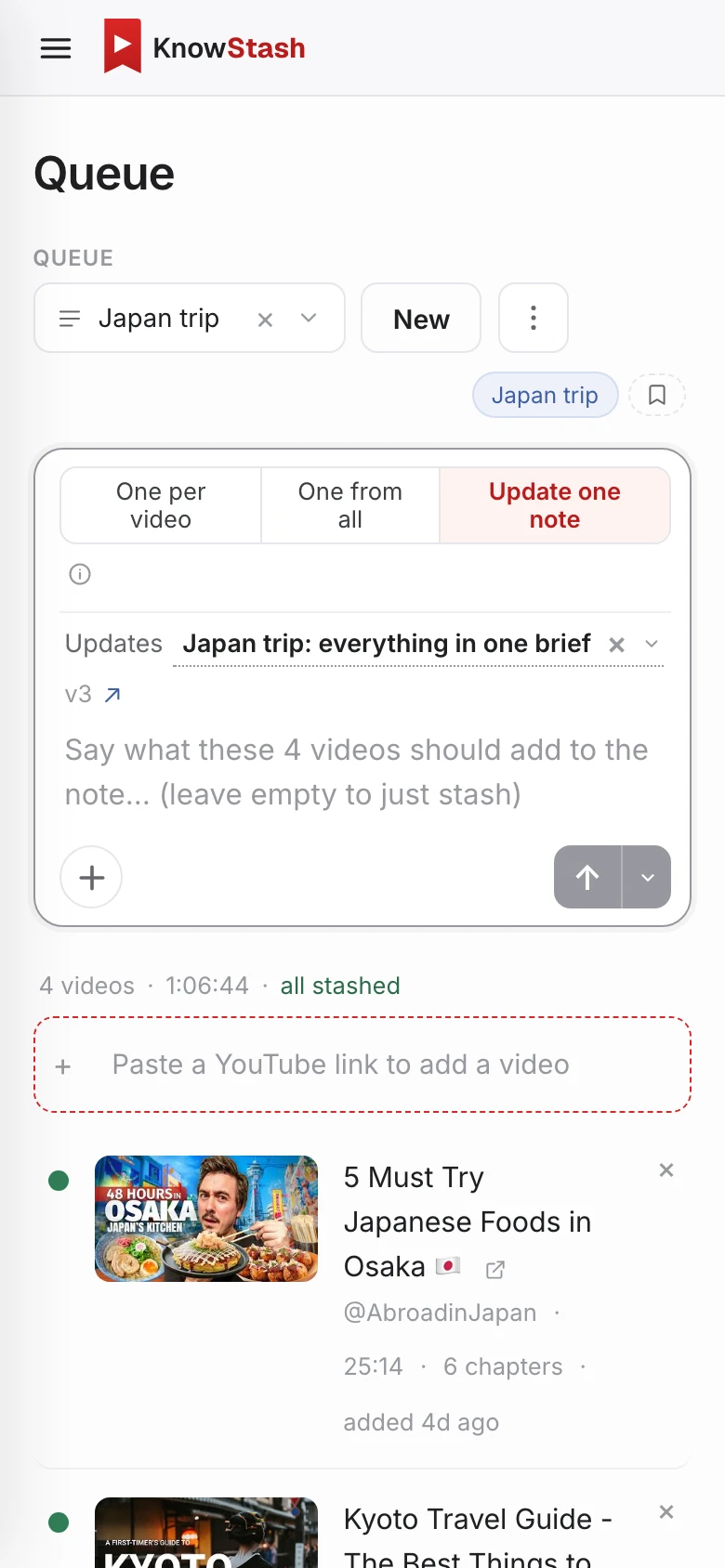
Line up videos from YouTube or from a pasted link. One empty send stashes them all. Ask a question and you choose what comes out: a note per video, a single note drawn from all of them, or one note the queue keeps adding to, so ten reviews become one shortlist that stays current.
- One note per video, or one from all
- Or one note the queue updates as it grows
- Stash the whole queue with an empty send
- Select a few and run just those
- Queues run side by side, and carry on without you
Put YouTube on autopilot
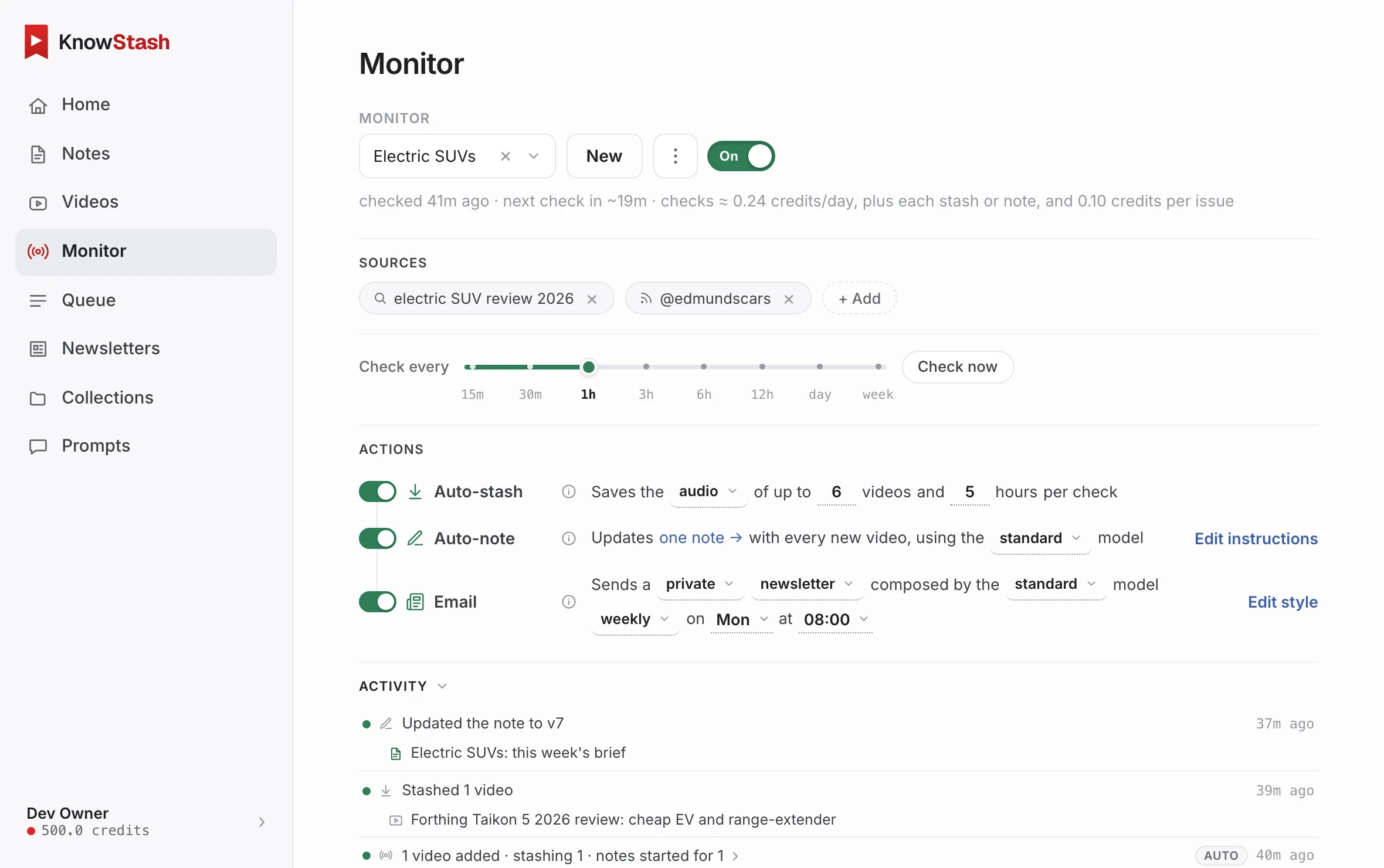
Point a monitor at a search, a channel or a playlist. New uploads get found, saved and noted while you sleep, either folded into one growing brief or as a note per video. Then get it by email, as a digest of what happened or a written newsletter.
- Checks as often as every 15 minutes
- Auto-stash and auto-note every new find
- One growing brief, or a note per video
- A digest or a written newsletter, by email
- An activity log of every check, and what it skipped
A newsletter, written from your notes
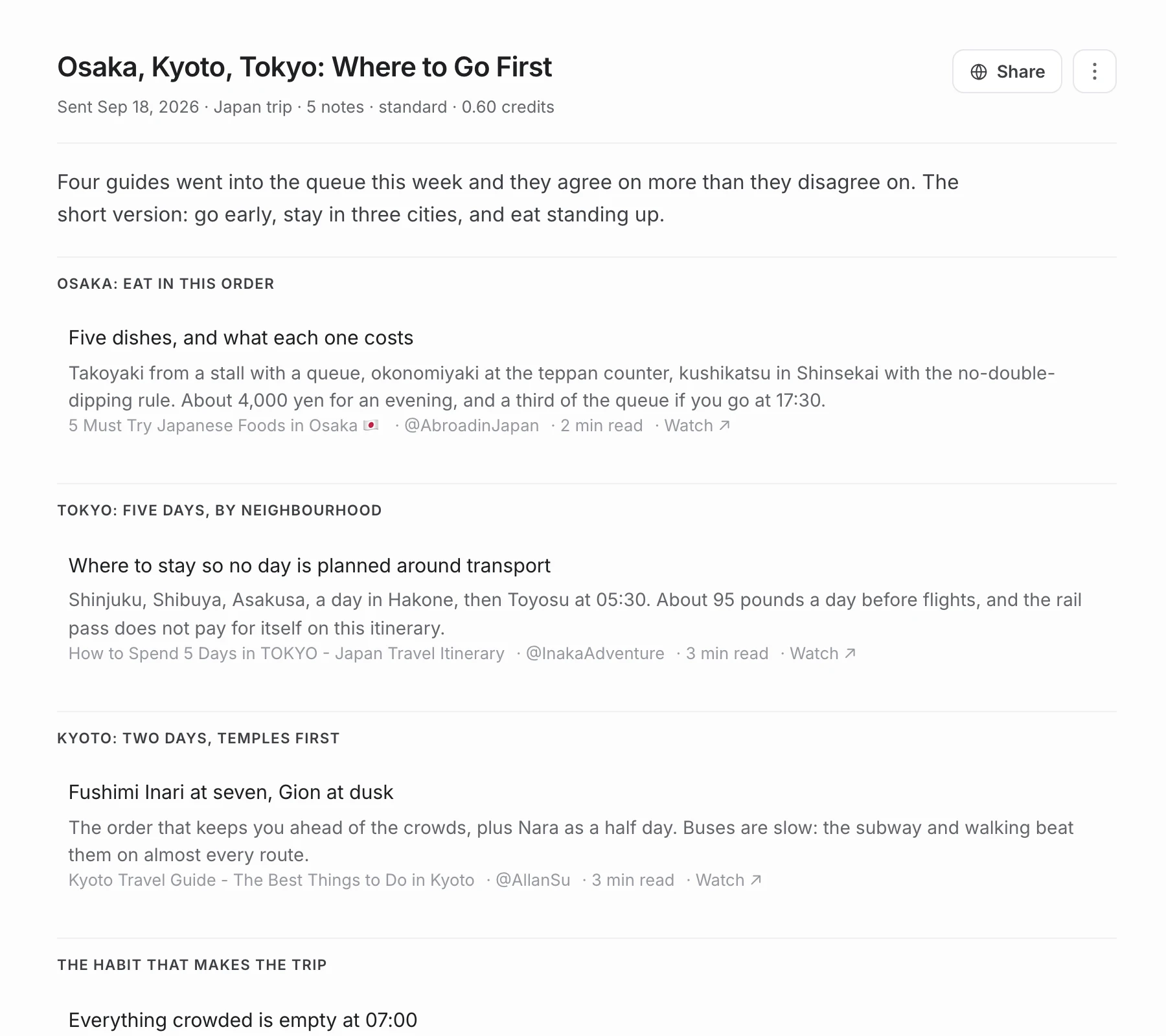
Every issue is written from the queue's new notes, with sections, headlines and short summaries that link back to the notes and the videos. It arrives on your schedule and stays in your archive at knowstash.ai. Share an issue with a link when it's worth passing on.
- Instantly, daily, or weekly
- Sections, headlines, and links to the videos
- Every issue kept on the Newsletters page
- Share an issue, or the issue and its notes
Notes that grow, and leave with you
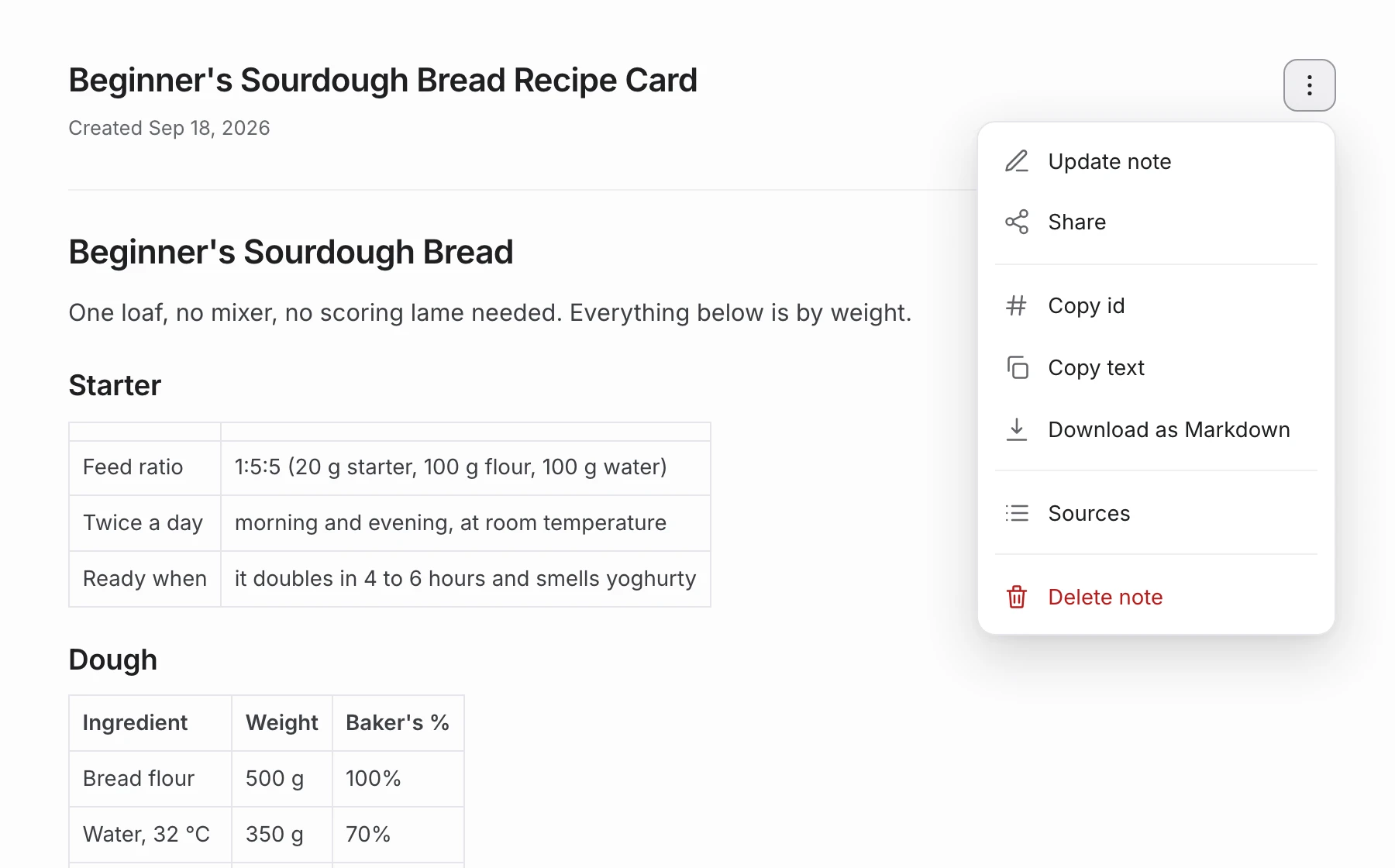
A note isn't frozen once it's written. Add new videos to it and it grows, as one document with versions. Merge several notes into one brief. Everything exports as Markdown, ready for your notes app or whatever AI tool you use next.
- Update a note with new videos: one document, versioned
- Merge many notes into a single brief
- Download any note as Markdown (
.md) - Drops straight into Obsidian, Notion, or your favourite AI tool
The same app on your phone
knowstash.ai is a website, so there is nothing to install and nothing to keep in step. Open it on a phone and you get the whole thing: the library, the search, the reader, the composer, your queues and your monitors, laid out for a narrow screen instead of squeezed into one. Start a note on the train, read it at your desk. Same account, same library, same credits, and the Chrome companion for the part that happens on YouTube.
- The full app, not a cut-down mobile version
- Read, search, ask and queue from a phone
- Start on one screen, pick it up on another
- Nothing to install, nothing to update
Who it's for
For your curiosity, and for your job.
For you
Learn faster
Turn courses, talks, and tutorials into notes you can search, with the numbers, steps, and links intact.
Research across videos
Write one note from ten videos. Ask a question across everything you've stashed.
Tame watch-later
Queue what looks interesting, let KnowStash stash and note it, then read the five that matter.
For work
Product & brand watch
Monitor searches and channels for mentions of your product. Wake up to a brief, not to forty tabs.
Market & competitor intel
Track keywords, competitors, whole niches. The notes land in collections, on schedule.
A newsletter for the team
Follow the finance and industry channels that matter; a written issue of what was new lands in everyone's inbox.
Seven worked examples, with the exact monitor setups: use cases for work. Running something bigger? Talk to us.
Your watch-later list deserves better.
Create your free account, paste the first video you never had time for, and ask for the note you wish existed. The first 3 credits are on us.
3 free credits to start · no card · any browser, phone included · YouTube companion for Chrome, Brave, Edge & Arc
Updates
Product news, occasionally
New features and improvements, by email, when there's something worth telling. No schedule, no spam, unsubscribe anytime. It's a checkbox on your free account: tick it when you sign up, or flip it later in Settings.
Already using KnowStash? Turn them on in Settings.